
The journal
UTF-8 vs. Base64: Follow One Character Through Both Steps
Trace a three-fixture round trip from text to UTF-8 bytes to Base64, then check where a decoding error actually occurred.

 Stack & Method
At a glance
UTF-8 turns Unicode text into bytes. Base64 represents bytes using a restricted text alphabet. Use each step explicitly when a protocol expects Base64-encoded UTF-8 text.
In this guide
UTF-8 encodes text as bytes. Base64 encodes bytes as a short alphabet of characters that can travel through a text-oriented format. In an integration that expects Base64-encoded UTF-8, both descriptions apply, but they refer to different stages. Give each stage a test you can run independently.
Name the inputs and outputs of both encodings
Start with a string containing a single euro sign. The Unicode character has a code point. The UTF-8 rules represent that code point using three bytes. Write the bytes as E2, 82 and AC when inspecting them in hexadecimal. Hexadecimal is just a readable way to display the byte values in the worksheet.
Base64 takes those byte values as its input. It has no requirement that they stand for a character. The same procedure also works on bytes from an image or another binary field. If your protocol requires the round trip to recover text, keep UTF-8 in the documentation for the receiving side.
Two transformations with different inputs
UTF-8
Read Unicode characters and emit bytes.
Base64
Read the bytes and emit characters from the chosen Base64 alphabet.
Use the exact UTF-8 definition in RFC 3629: UTF-8.
Sources: RFC 3629: UTF-8 · RFC 4648: The Base16, Base32, and Base64 Data Encodings
Trace one character with a known output
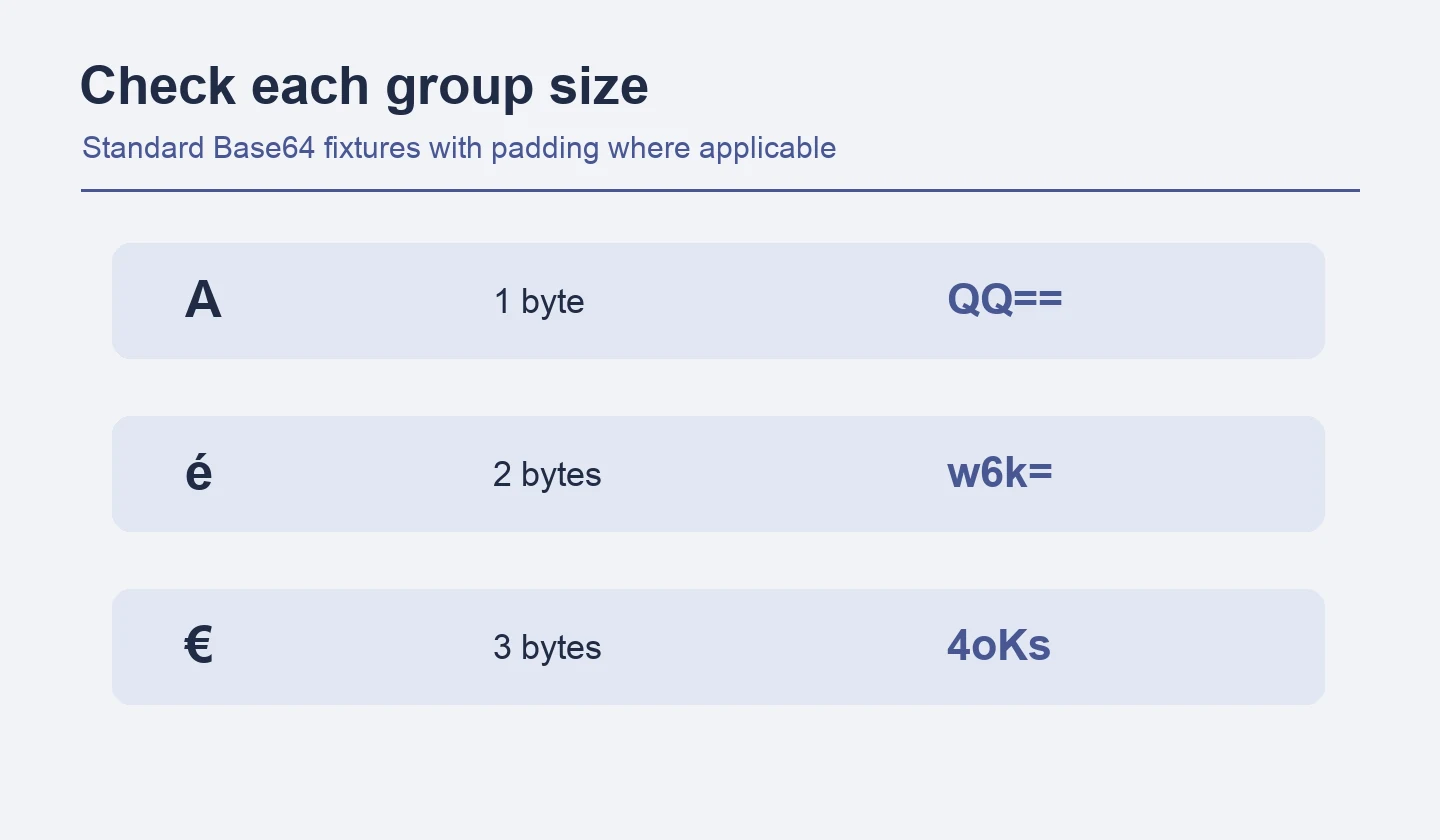
The euro sign’s three bytes produce 4oKs in standard Base64. Compare it with a one-byte example. An uppercase A produces the UTF-8 byte 41 in hexadecimal and the standard padded output QQ==. A precomposed lowercase é uses two UTF-8 bytes, C3 and A9, and produces w6k=. These examples are useful together because the byte groups exercise different padding cases.
Do not count the number of display characters to choose padding. Count the bytes being encoded and use the variant specified by the receiver. If your interface expects Base64url or omits padding, apply its exact rules. Keep the fixture label explicit about which form you used.
| Original text | UTF-8 bytes in hex | Base64 text |
|---|---|---|
| A | 41 | QQ== |
| é | C3 A9 | w6k= |
| € | E2 82 AC | 4oKs |
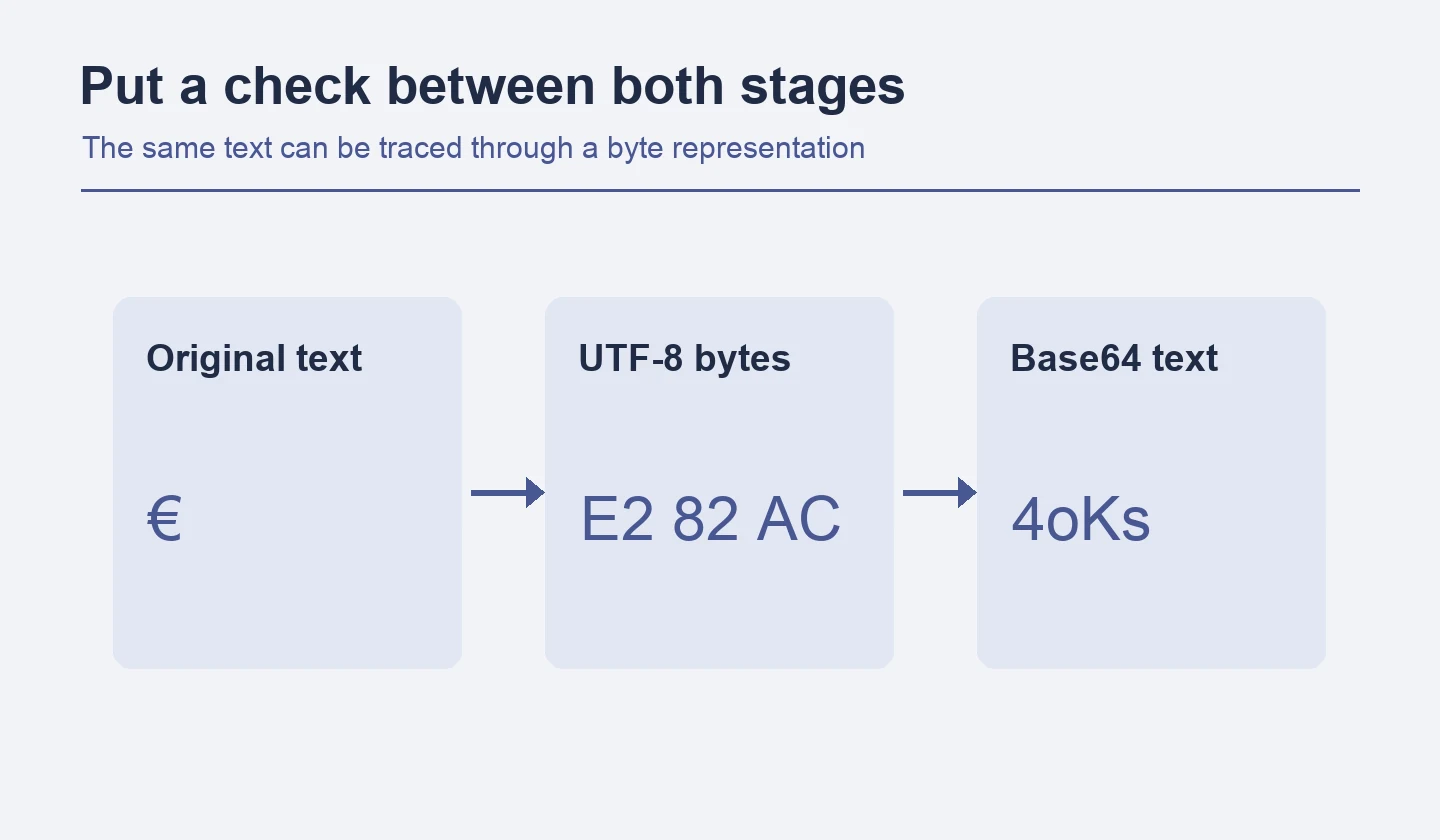
See the groups and padding in RFC 4648: The Base16, Base32, and Base64 Data Encodings.
Sources: RFC 3629: UTF-8 · RFC 4648: The Base16, Base32, and Base64 Data Encodings
Decode the two layers in reverse order
First decode the Base64 string into bytes. Compare those bytes with the fixture. Then ask the text decoder to interpret them as UTF-8. This gives you an independent place to inspect data when the final visible text looks wrong.
If you have access to the sender and the receiver, compare the sender’s bytes before serialization to the receiver’s bytes after decoding. Record only a small dummy fixture in diagnostics. If both sides have E2, 82 and AC, investigate the step that turns the bytes into visible text. If the byte values differ, compare the encoding and transport steps first.
Sources: RFC Editor · WHATWG
Separate alphabet errors from text errors
One example of valid standard Base64 is /w==. It encodes the single byte FF. That byte by itself is invalid UTF-8. A strict decoder can therefore reject the text even though the Base64 step succeeded. Use that fixture to check that your diagnostic distinguishes the two errors. Some decoders expose a mode controlling whether invalid UTF-8 is reported or replaced.
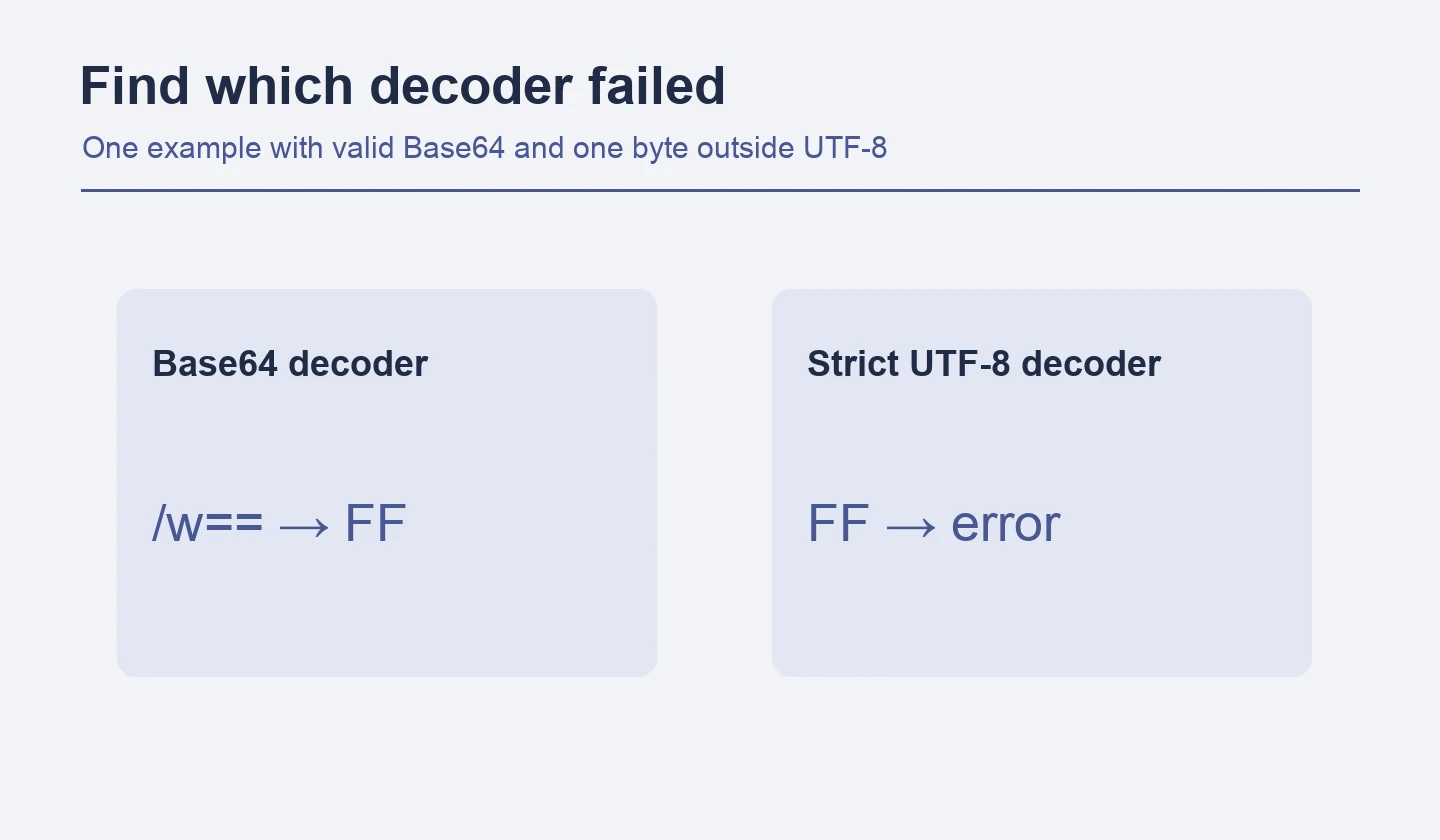
Review decoder behavior in the Encoding Standard.
Sources: RFC 3629: UTF-8 · RFC 4648: The Base16, Base32, and Base64 Data Encodings · WHATWG
Keep three small fixtures near the integration
Save the original text, expected bytes and encoded string in your test file. Add one known invalid case for each layer so the error message identifies the real stage. Re-run the fixtures when a dependency changes. These short deterministic examples are usually easier to reproduce than an entire payload with a user’s data.

Keep the round trip reproducible
- Identify the required Base64 variant.
- Compare the bytes with a known fixture.
- Run a strict UTF-8 check on the output if the payload is text.
- Keep a failing fixture for each error layer.
For the related task, see Review what JSON.stringify produces.
Sources: RFC Editor · WHATWG
Frequently asked questions
Why does A produce padding but the euro sign does not?
In the fixture, A produces one byte. The euro sign produces three. The standard Base64 output uses padding for the incomplete final group unless your specification says otherwise.
Is Base64 encryption?
No. Base64 is reversible binary-to-text encoding and does not prevent someone from reading the data.
Is Base64url the same alphabet?
The URL-safe version uses different characters for two alphabet positions. Check the interface for its padding rules too.
Can the decoded file be something other than text?
Yes. Base64 can represent arbitrary bytes. Follow the receiving format to decide whether those bytes should be decoded as text.
Stack & MethodCheck the Base64url variant
Check the alphabet and padding required by the receiving format.
Check the Base64url variantContinue with a related guide
- Check the Base64url variant
Check the alphabet and padding required by the receiving format.
- Review what JSON.stringify produces
Separate text serialization from byte encoding.
- Read the transport headers guide
Keep message type and data encoding in their own records.
References
- RFC 3629: UTF-8 RFC Editor
- RFC 4648: The Base16, Base32, and Base64 Data Encodings RFC Editor
- Encoding Standard WHATWG