
The journal
Can two people share a password manager? Practical steps for two-person teams
password manager teams sharing explained, with practical steps for shared vaults, permissions, per-user 2FA and audit reviews.
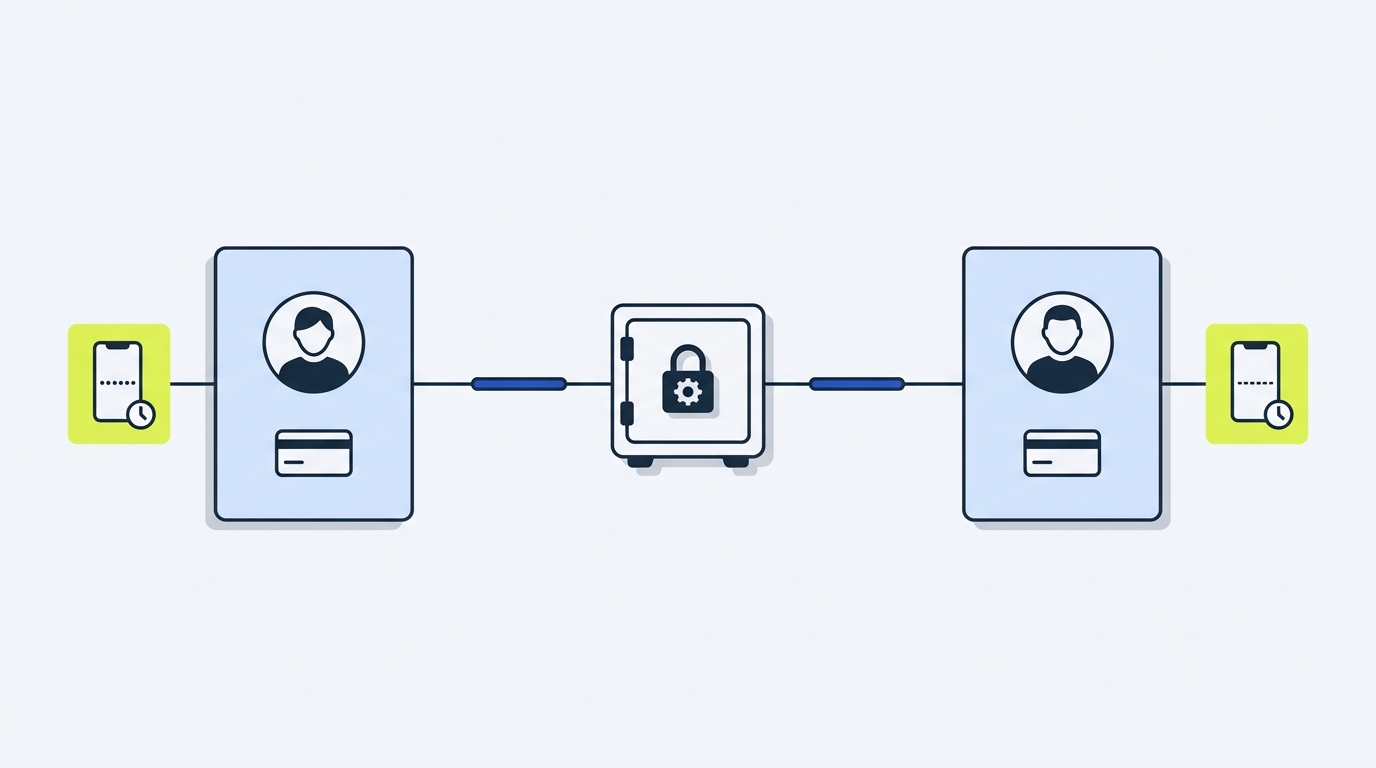
What does it mean to share a password manager? Definition and context
Sharing a password manager can mean different things. Some people share a single master account, where both users log in with the same email and master password. Others use a shared vault or collection that lets each person keep their own account while sharing selected items. The difference matters for security and recoverability.
Government guidance recommends using a password manager for strong, unique passwords and warns against sharing account passwords directly; instead, agencies urge using sharing features that keep each person on their own account NCSC guidance.
Why do people share in the first place? Common scenarios include couples sharing household subscriptions, two founders sharing client logins, or a small team needing a joint credential for administrative tools. Sharing happens because it is convenient, but convenience can hide risks. Read our two-person sharing guide for a focused walkthrough.
When someone shares a single master account, the shared master-account model ties two important things together: the master password and the second factor. That coupling removes per-user accountability and makes recovery harder in case of lockout or device loss.
Why people share passwords and common scenarios
Practical examples help: a couple might want shared access to a streaming service, while each person keeps personal banking logins private. Two freelancers could need a joint client dashboard login while keeping their individual accounts separate. These scenarios are common, but each has different requirements for auditability and recovery.
Consumer protection advice warns that unsafe sharing practices expose multiple accounts if a single login is compromised, so it is worth choosing a sharing method that limits blast radius and preserves personal accounts FTC consumer advice.
Official guidance from national cyber agencies
National cyber agencies consistently recommend password managers and advise against sharing account passwords directly. The US Cybersecurity and Infrastructure Security Agency encourages unique, manager-stored credentials while discouraging master-account sharing that defeats per-user controls CISA guidance.
In short, a shared vault or a family or team plan is the preferred pattern: each person retains an individual account and two-factor authentication, and items are shared with explicit permissions.
How secure sharing works in practice: shared vaults, permissions and 2FA
Secure sharing relies on three practical mechanisms: a shared vault or collection, explicit permission levels, and per-user two-factor authentication. Together these let two people share items without surrendering control of their personal accounts.
Shared vaults and collections: how invitations and access work
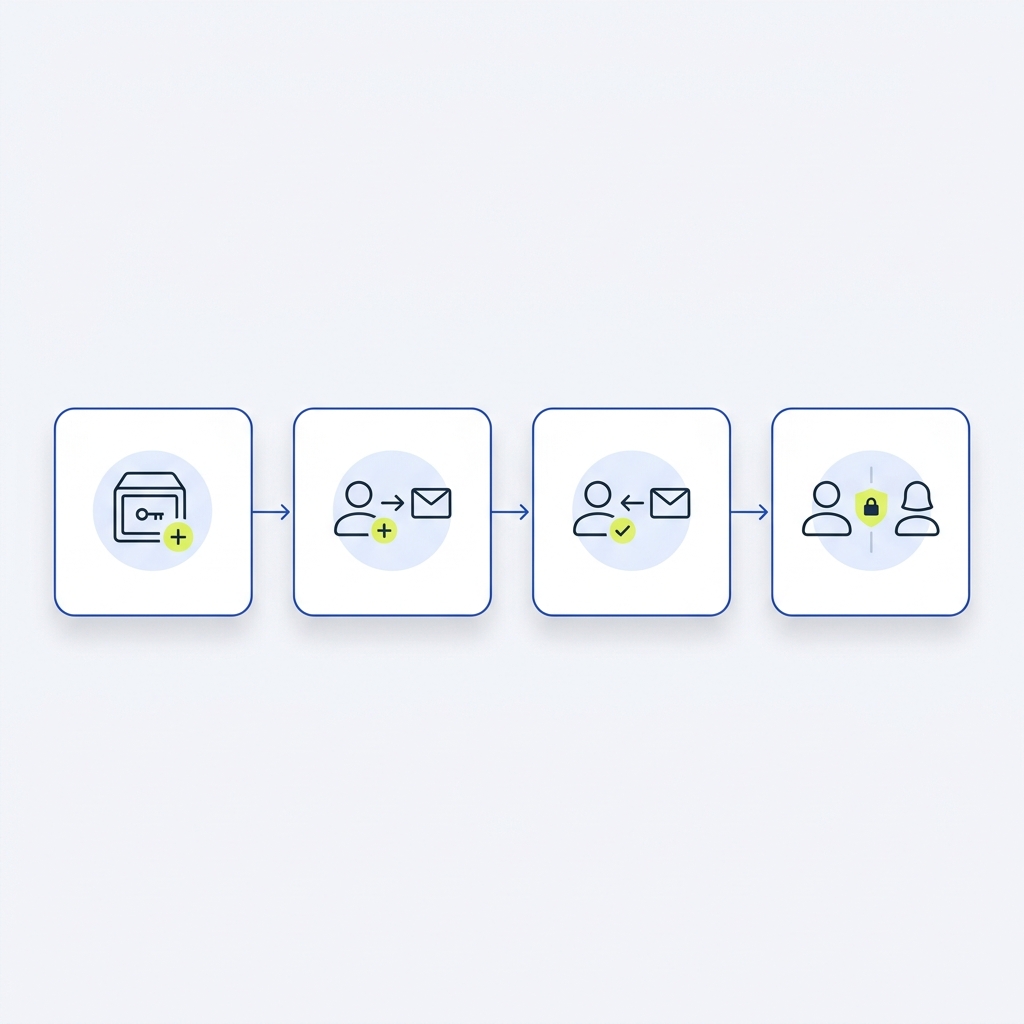
Most major managers offer shared vaults or collections where one user creates a vault, invites another person by email, and the invitee accepts using their own account. That invite model means both people keep separate logins and second factors, which preserves account-level recovery paths and per-user controls 1Password support on share vaults. Some reviews also compare family-focused managers and their sharing features Wirecutter.
In practice the invite flow looks like: create vault, add items you want to share, invite the other email address, and choose an initial permission level. The invited user receives a link or an in-app notification and adds the shared vault to their account without exposing their own master password.
Can two people share a password manager without increasing risk?
Yes, by using shared vaults or family or team plans that keep each person on their own account with separate two-factor authentication, rather than sharing a single master account.
password manager teams sharing: who needs admin access?
Deciding admin rights is a small governance question with big consequences. Only give admin rights to the person who needs to manage memberships or change shared credentials. For most two-person setups, one admin and one editor or viewer is enough.
Item-level permissions let you restrict who can view, edit or re-share sensitive entries, while vault-level settings can control membership and vault visibility. When in doubt, choose least-privilege and upgrade permissions only when necessary.
Item-level and vault-level permissions: view, edit, admin
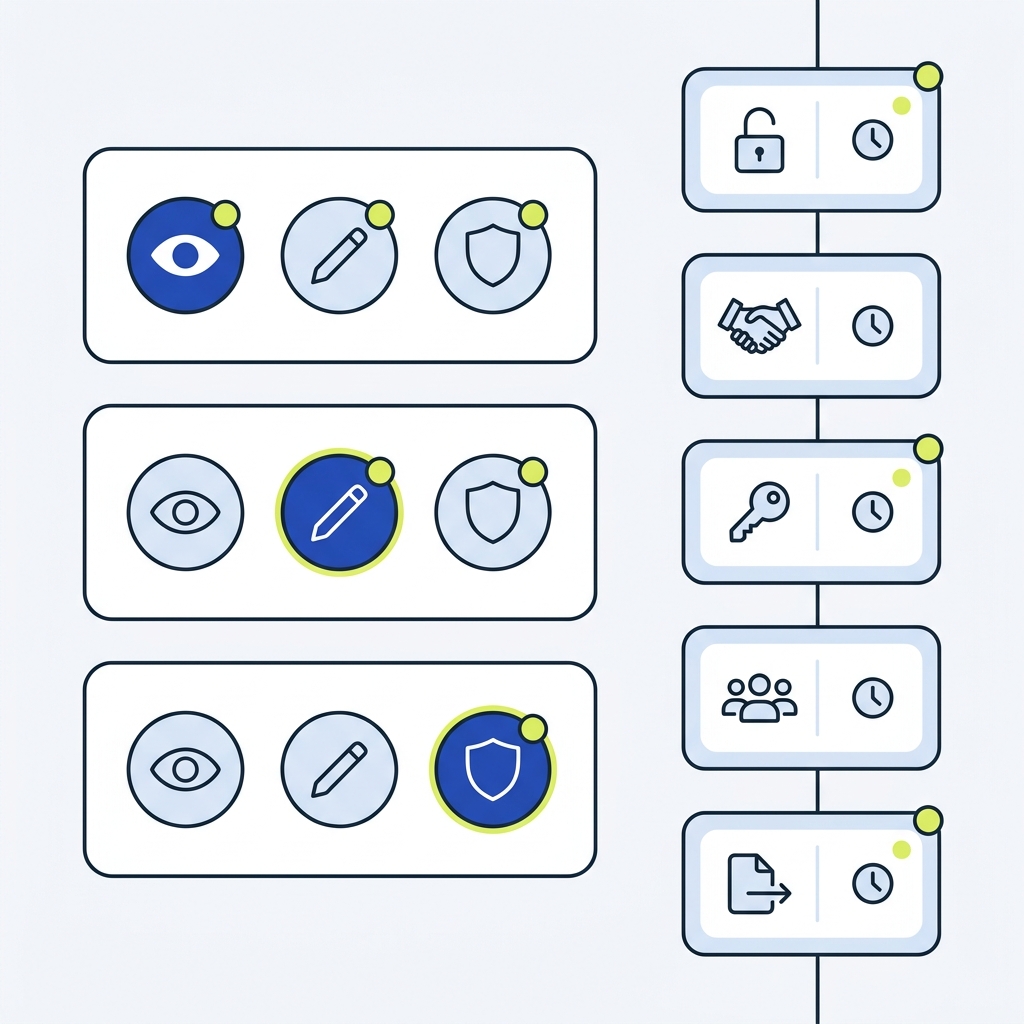
Permission models vary by vendor but typically include view, edit and admin levels. Viewers can see credentials but not change them; editors can update the username or password; admins can add or remove members and change vault settings. These levels let two people split duties, for example one person updates shared passwords while the other keeps oversight.
Using least-privilege permissions reduces accidental changes and limits what an account compromise can expose. Where available, set default new members to view-only and escalate rights deliberately.
Per-user accounts and per-user 2FA
Keeping separate accounts means each person can enable their own two-factor authentication device. That avoids the common failure of tying 2FA to a single device or phone number, which can cause lockouts and recovery complications if that device is lost.
Vendors and national guidance both emphasize preserving per-user 2FA while sharing items, because it keeps a second layer of protection attached to each person’s credentials and supports accountability through separate login events NCSC guidance.
Choosing the right approach: family plan, team plan or master-account sharing
When two people need to share, the main choices are a family plan, a team plan, or the simpler but riskier master-account sharing. Family and team plans are designed for account-per-person sharing and usually include shared vaults, separate private vaults and administrative controls. For comparisons of family-focused managers, see family password manager reviews here.
Family or team plans also frequently offer better support for recovery, membership management and sometimes event logs, which helps with accountability and troubleshooting. Check the vendor documentation for the exact feature set before you commit Dashlane support, and see our guide to choosing business software. Bitwarden also publishes details of its Families plan and features Bitwarden Families.
When a family or teams plan is the better choice
Choose a family or teams plan when you want separate personal vaults plus a shared vault for joint items, and when you need features like membership controls and some level of logging. These plans let each person use their own account and two-factor authentication, which is the recommended pattern in official guidance.
For couples, a family plan commonly covers shared household services while preserving private logins. For two-person businesses, a teams plan adds admin controls and sometimes audit features that record membership changes and item edits.
When master-account sharing might be considered and why it is riskier
Sharing one master account can be tempting for simplicity, but it creates multiple risks. It eliminates per-user audit trails, binds 2FA to a single person, and makes recovery more complex if that person loses access. That model is typically advised only as a last resort.
If you do consider master-account sharing, be aware of the downsides and plan mitigations such as app-based 2FA and securely stored recovery codes to reduce the chance of total lockout CISA guidance.
Questions to ask before committing
Before you choose, verify these items with the vendor: can you create shared vaults with invites, what permission levels exist, is there any event or audit log, and what recovery options are supported? Knowing these answers ahead of time avoids surprises later.
Also check pricing and whether family-tier logging differs from business-tier logging, because some vendors restrict detailed audit trails to higher tiers.
Implementation checklist: setting up shared vaults, permissions and logging
Follow a clear, step-by-step setup to keep the process simple and repeatable. Below is a practical checklist you can follow the first time you share items with one other person.
1. Create a shared vault or collection designated for joint items. 2. Add only the credentials you both need in that vault. 3. Invite the other person by their account email and wait for them to accept. 4. Assign the least-privilege permission needed, typically view or edit. 5. Enable per-user two-factor authentication on both accounts. 6. Store recovery codes separately in a secure place. 7. Enable any available event logs and set a review cadence.
When you perform step 3, the invite flow keeps both accounts separate, keeping per-user two-factor and recovery options intact. Documentation on shared vaults shows this invite pattern as the intended usage model for two-person sharing 1Password support on share vaults.
Track invites, permissions and review dates for a two-person shared vault
Permission choices matter. Default to view-only for shared items that rarely change and to edit for items that require both people to maintain credentials. Reserve admin rights for the person who will manage membership and settings.
Enable logging if the vendor supports event logs. Logs let you see when items were accessed or changed, and they help resolve disputes or recover from accidental changes. If detailed logs matter to you, confirm that the vendor exposes the level of detail you need in the plan you choose Bitwarden event logs.
Common mistakes, recovery and mitigation when two people share access
Typical mistakes start with convenience: sharing the same master login, reusing passwords across services, or disabling two-factor authentication to avoid login friction. These shortcuts increase the risk of a wide compromise if one credential is leaked.
Sharing a master-account removes per-user audit trails, which means you cannot reliably determine who changed a credential. Official advice warns against this pattern and recommends account-per-person sharing models where possible NCSC guidance.
What typically goes wrong with master-account sharing
Common failure modes include lockout when the second factor is tied to one person, disagreements about who may change shared passwords, and accidental overwrites. Because both people use the same login, it is difficult to track which user performed an action.
An attacker who gains access to a shared master account obtains the same level of access for both people, increasing the potential damage. For this reason consumer protection guidance advises avoiding unsafe sharing methods that expand exposure across multiple services FTC consumer advice.
Mitigations if you must share a master account
If you have no alternative to master-account sharing, take these mitigations: enable app-based two-factor authentication rather than SMS, store recovery codes in a secure offline place, and agree a strict change-control process so password changes are coordinated and logged outside the manager.
Test your recovery process before you need it. Have both people verify they can access recovery codes and can regain access if one person loses their device. Testing reduces the chance of a preventable lockout.
Account recovery, lockout risks and testing recovery procedures
Account recovery varies by vendor. If recovery relies on a single email or phone number, that can become a single point of failure. Prefer managers that let each user maintain independent recovery options or that offer delegated recovery for business plans.
Document your recovery steps in a secure place and run a simulated recovery at least once a year, or whenever you change devices or contact details. That habit keeps both people confident they can recover access without panic.
Real-life scenarios and wrap-up: two-person setups that work
Two short, concrete examples show what works in practice. First, a couple sharing household subscriptions can create a shared vault for streaming and utility passwords, keep personal vaults private, set both users as editors, enable 2FA and review the shared vault every three months.
Second, two freelancers working together can use a team plan with one admin who manages client credentials and one editor who updates password changes. They keep separate private vaults for personal accounts and enable event logs to track changes.

Couple sharing household accounts
Minimal setup for a couple: family plan or shared vault, add only joint accounts to the shared vault, assign edit rights if both change passwords, and enable per-user two-factor authentication. Schedule an access-review meeting every three months to check membership and remove any unused items.
This simple arrangement keeps the couple’s personal accounts separate and reduces risk while preserving convenience for joint services.
Two-person business or freelance partnership
For a small partnership, use a team plan if possible, set one admin and one editor, enable audit logging and keep a documented change-control process for client-facing credentials. If detailed logs are important, verify whether the plan you choose includes the necessary event data before you buy.
Accountability is the primary value here: logs and permissions reduce friction when troubleshooting or onboarding new collaborators.
Quick summary and recommended next steps
In summary, avoid sharing a master account when you can. Use shared vaults or a family or teams plan so each person keeps an individual account and two-factor authentication. Confirm permission controls and logging before you commit to a vendor.
Next steps: pick a manager that supports invites and shared vaults, enable per-user 2FA, set least-privilege permissions, store recovery codes safely, and schedule your first shared-vault review within 90 days Dashlane support. See our software directory for options.
Frequently asked questions
Can two people safely share a password manager?
Yes, safely if you use a shared vault or a family or team plan so each person keeps their own account and two-factor authentication; avoid sharing a single master login when possible.
What should I do if we must share a single master account?
If unavoidable, enable app-based 2FA, store recovery codes offline, agree a change-control process, and test recovery steps regularly.
How often should we review shared access?
Set a regular review cadence, commonly every three months, and review event logs and membership after any staffing or household changes.
Sharing passwords between two people can be secure when you use the right tools and habits. Favor a shared vault or a family or teams plan, enable per-user two-factor authentication, and keep a simple review and recovery routine. Take the first step now: confirm your vendor supports invites and the permission levels you need, then set up your shared vault and schedule the first review within 90 days.
References
- https://www.ncsc.gov.uk/collection/passwords
- https://consumer.ftc.gov/articles
- https://stackandmethod.com/articles/password-manager-teams-sharing-guide/
- https://support.1password.com/share-vaults/
- https://www.cisa.gov/resources-tools/training/cyb3rsmrt-use-password-manager-create-and-remember-strong-passwords
- https://www.nytimes.com/wirecutter/reviews/best-password-managers/
- https://support.dashlane.com/hc/en-us/articles/202625592-Share-passwords-and-secure-notes
- https://stackandmethod.com/guides/choosing-business-software/
- https://bitwarden.com/products/families/
- https://n8n.io/pricing/
- https://bitwarden.com/help/event-logs/
- https://www.security.org/password-manager/best/families/
- https://stackandmethod.com/software/